

















Product Help
Magnetic Mount Installation & Setup
Get a secure hold by preparing the mounting surface, using a compatible phone or case, and positioning the mount correctly for your environment.
On this page
Before installation
- Confirm the mount type and intended surface or attachment point.
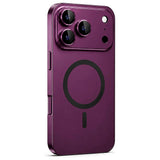
- Check that your phone or case supports the magnetic connection used by the mount.
- Make sure the mounting surface is clean, dry and free from dust, oil or polish.
Adhesive or suction-style mounts
Apply only to a suitable smooth surface. Press firmly and allow the mount to settle before loading it with a phone. Textured, porous, heavily curved or contaminated surfaces can reduce grip.
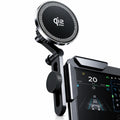
Vent and vehicle mounts
Make sure the attachment is fully seated and does not obstruct vehicle controls, airbags, displays or your view of the road. Recheck tightness periodically.
If the phone slips or rotates
- Remove the phone and inspect the mount.
- Check the magnetic case or ring alignment.
- Remove wallets or accessories between the phone and mount.
- Reposition the mount so the phone's weight is supported more centrally.
Safety
Do not adjust a phone mount while driving. Follow local laws and place the phone where it does not obstruct safe vehicle operation.